
Campaigns
Test, review, schedule, and start a campaign
Verify recipient filters, final content, limits, and the unsubscribe footer.
Review and send a test
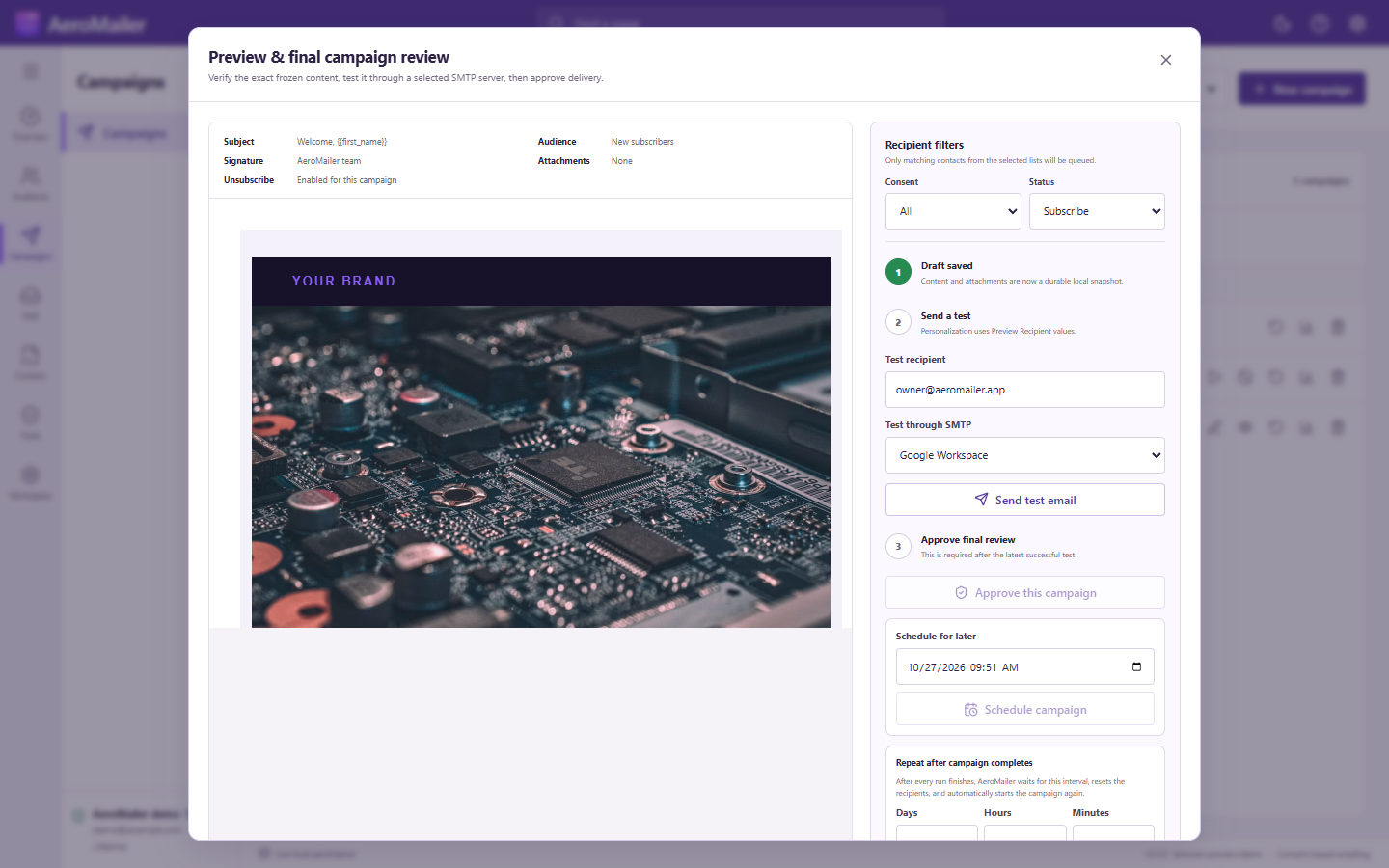
Open Preview & final campaign review. Check the audiences, Consent/Status filters, recipient count, subject, rendered message, attachments, sender rotation, delay, and unsubscribe Enabled/Disabled status. Send a test to an inbox you control; wait for the loading indicator and result.
Check limits
If the expected delivery count can exceed selected SMTP limits, read the warning. An explicit ignore option changes AeroMailer's limit handling, not the provider's quota or restrictions. Do not rely on it to guarantee delivery.
Approve and start or schedule
Complete the review/approval controls before sending. Start immediately or choose a future time. Scheduled work needs AeroMailer running with internet access; enabling startup/tray behavior can help, but does not run work on a powered-off or sleeping computer.
A repeat-after interval is different: its countdown starts after the campaign ends. See campaign lifecycle.