
Campaigns
Build a plain-text or HTML campaign
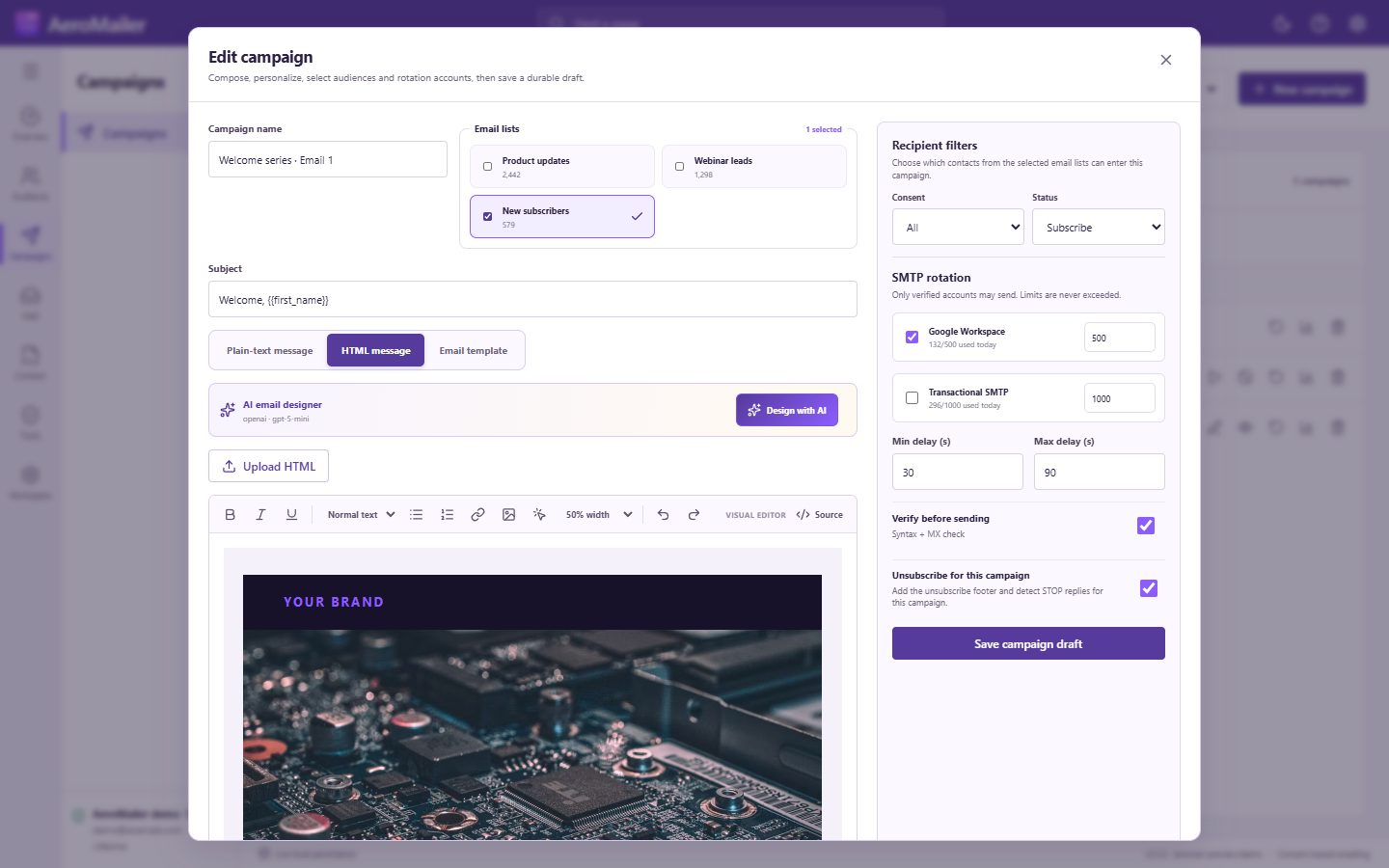
Choose audiences, consent/status filters, senders, and unsubscribe behavior.
Prepare the draft
- Open Campaigns → New campaign and enter a name and subject.
- Select one or more email lists.
- Set Consent and Status filters. Defaults are Consent: All and Status: Subscribe.
- Choose Plain text or HTML, load a template if needed, and insert Variables, Spintax, signature, and attachments.
- Review selected verified SMTP accounts; deselect any that should not send.
- Set minimum/maximum delay in seconds and applicable sender limits.
- If master unsubscribe monitoring is enabled, choose Unsubscribe for this campaign. New campaigns default off.
- Select Save campaign draft and resolve any validation feedback.
Understand recipient filters
Consent choices are All, Opt-in (including Unknown), and Opt-out. Status choices are All, Subscribe, and Unsubscribe. Broader filters are not a substitute for permission, and applicable suppression still excludes recipients.
Continue to Preview & final campaign review.