
Campaigns
Pause, resume, cancel, reuse, repeat, or delete campaigns
Safely manage campaigns and completion-relative repeat sending.
Find and control a campaign
Search by name and filter by audience/status. Pause prevents new queued work while preserving progress; Resume continues pending work. Cancel stops unsent/retrying work, but cannot recall messages already accepted by SMTP or necessarily interrupt a send already in flight.
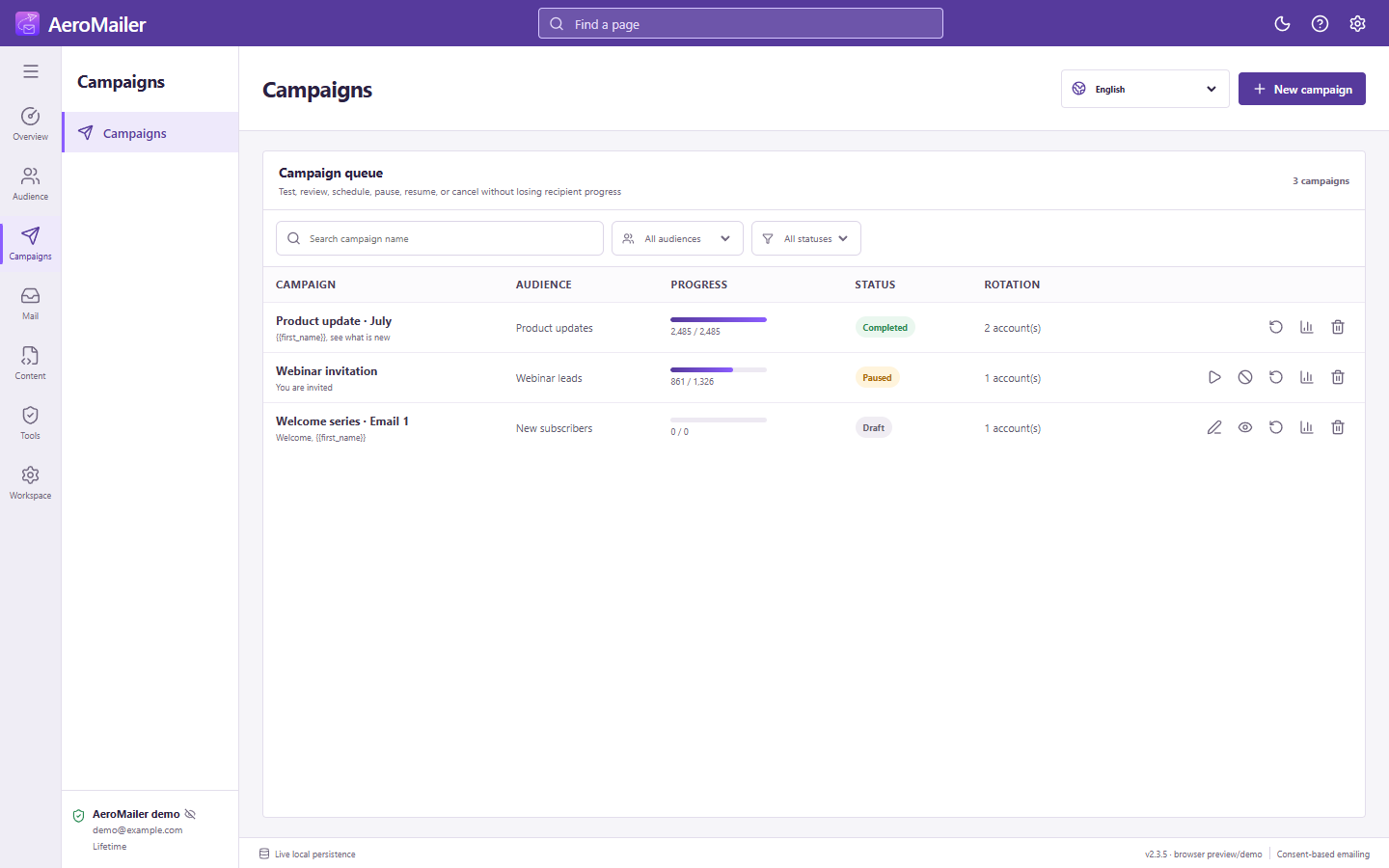
Edit, reuse, and repeat
Edit non-sending campaigns as permitted by the UI. Reuse/restart lets you prepare another run without rebuilding the content. Recheck contacts, subscription status, attachments, senders, and approval before sending again.
Repeat-after days/hours/minutes count from the end of the campaign, not from the moment the draft was created. A one-hour repeat starts another run after the completed run has ended for one hour. AeroMailer must remain running to execute it.
Delete carefully
Deleting a campaign opens a confirmation dialog. Check the selected record and export reports you need before confirming.