
Contacts and Compliance
Manage contact Variables and filters
Define typed values, bulk-edit contacts, and filter subscription status.
Define Variables
Choose Manage Variable to add a Variable Label and stable Variable Key. Supported types include Text, Number, Yes/No, Date, Single select, and Multiple select. Set values on individual contacts or through bulk Modify; avoid changing the meaning of an existing key.
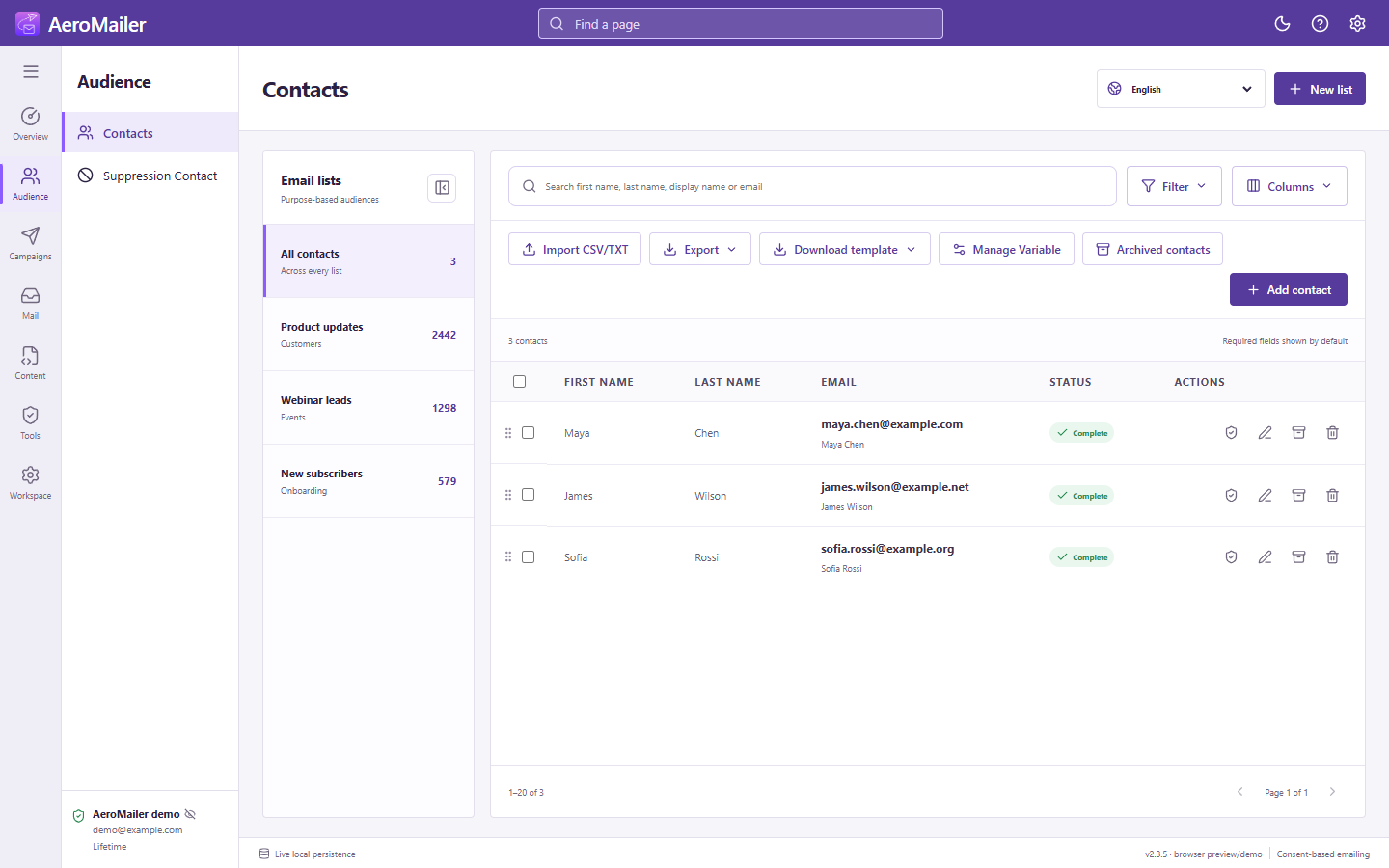
Filter and edit
Use search for names and email, then add standard or Variable filters. Columns lets you show optional details. Selecting a contact's status can filter that status. Bulk-select contacts and choose Modify to update fields or add custom values; choose country from the same suggestion list used in normal entry.
Consent is not subscription status
Consent (Unknown, Opt-in, Opt-out) and Status (Subscribe/Unsubscribe) are separate. A recognized STOP reply changes status without changing consent. Suppression is a third independent sending exclusion.
Use personalization chips to insert standard fields and user-created Variable keys into email content.