
Contacts and Compliance
Verify email addresses and sending domains
Check syntax, domain records, and SMTP without assuming delivery or consent.
Email and sending-domain checks
Open Verification tools. Run an email check and read its result; invalid results are red. For sending-domain verification, follow the displayed DNS record instructions, wait for propagation, then verify. Remove obsolete domain entries using the delete action.
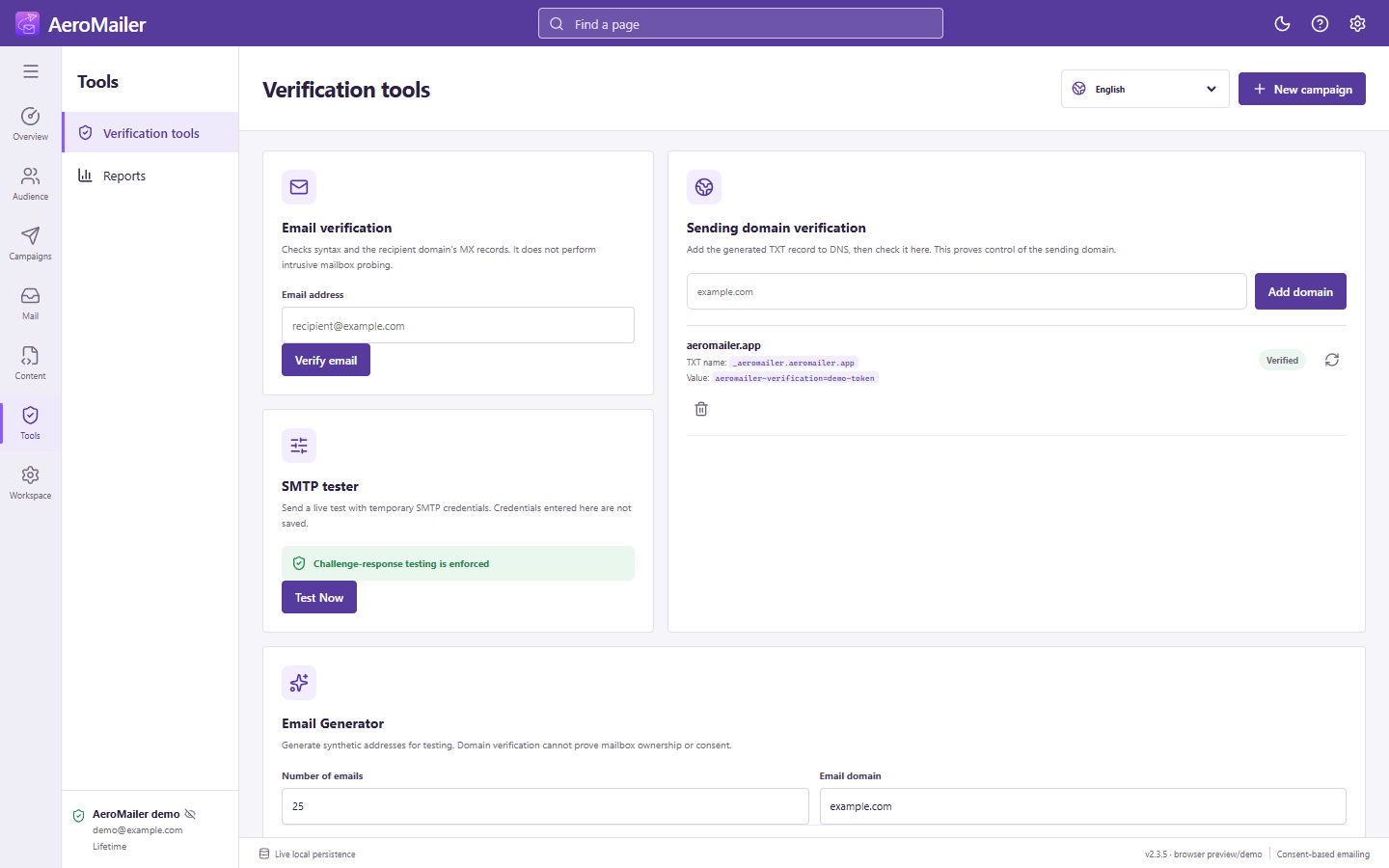
SMTP tester
Select Test Now, enter the connection credentials in the modal, and inspect the result. Testing a server does not create a verified sending account; complete the account verification flow separately.
Email Generator
Choose a count and domain, optionally enable verification, then generate. Export TXT/CSV or move the result to a contact list when appropriate. Generated addresses and syntax/MX checks do not establish mailbox ownership, delivery, or permission. Never use generated addresses for unsolicited campaigns.