
Contacts and Compliance
Sync contacts across Odeysoft desktop apps
Enable direct local Contact Sync in Manual or Live mode.
Connect companion apps
- Open the compatible Odeysoft apps on the same computer and operating-system user account.
- In AeroMailer, open Settings → Contact Sync.
- Review detected Involora, WABotSender, or TGBotSender apps and enable the intended pairwise connections.
- Choose Manual or Live.
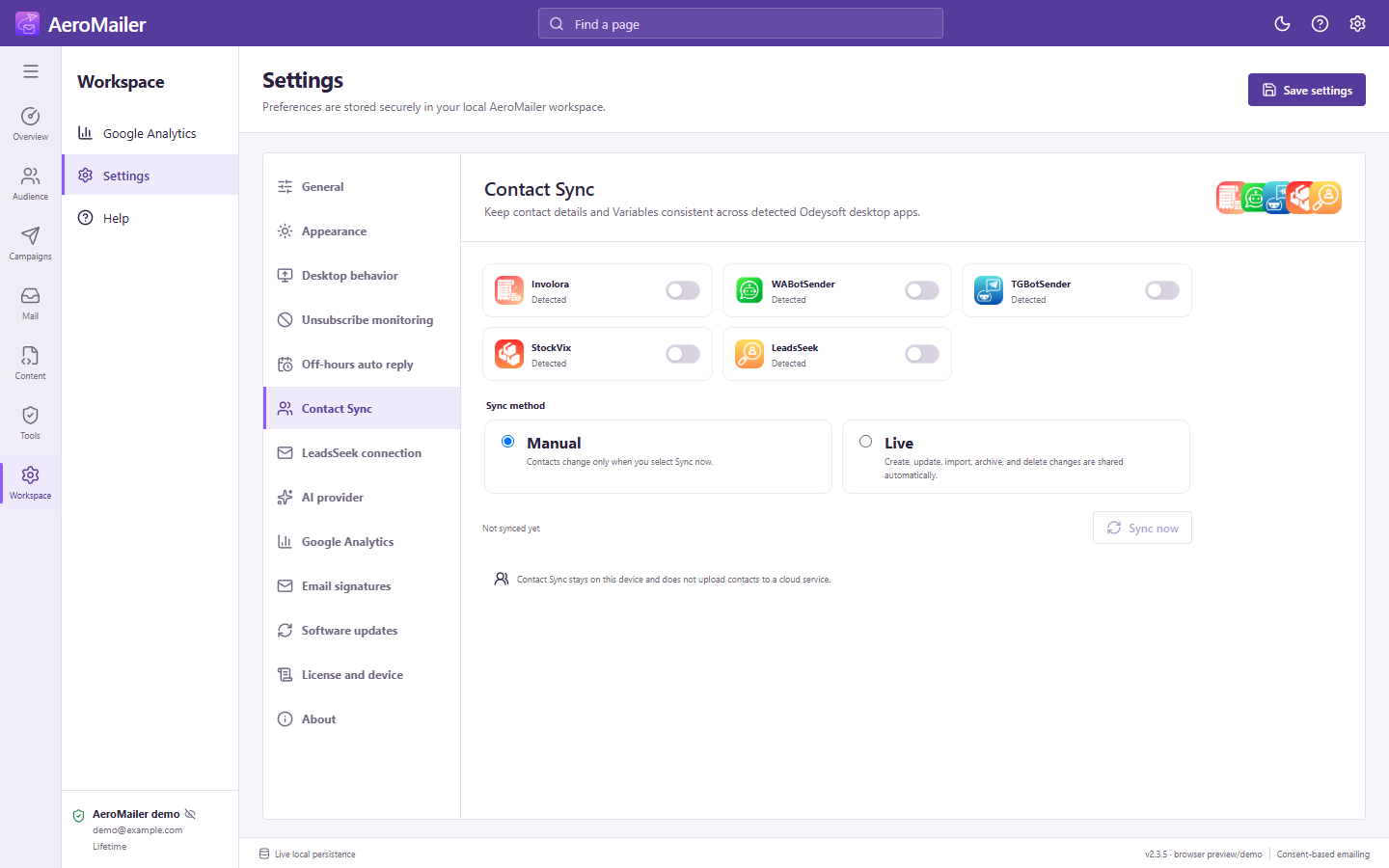
Manual and Live modes
Manual: select Sync now to publish local revisions and apply enabled peers' changes. Live: supported create, edit, import, archive, and delete changes synchronize automatically while the apps can process them. Check Last synced and any error message.
What is shared?
Portable contact details, typed Variables, and explicit archive/delete states are exchanged locally. Matching identifiers and revisions reconcile records; newest revisions win. Incomplete destination records are preserved for correction. Sync does not use a cloud service or require AeroMailer as a relay.
It does not synchronize campaigns, inbox messages, SMTP passwords, or license keys. Protect local snapshots. For Involora, check its selected company before enabling a connection. If no companion app is detected, open/update it and check that both apps use the same computer/user account.