
Accounts
Manage SMTP accounts, limits, and usage
Edit senders and review live test and campaign usage.
Edit and test
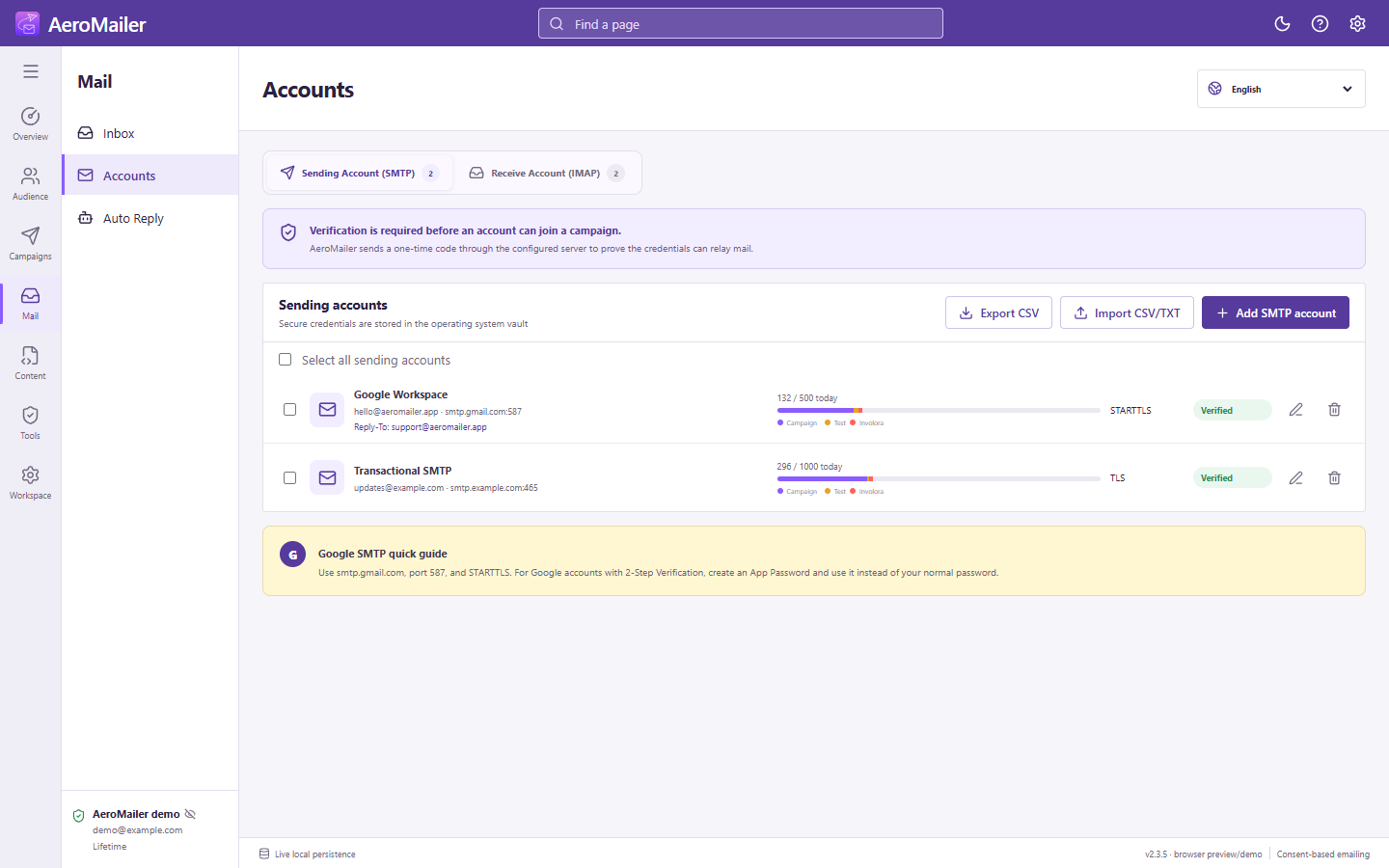
In Accounts → Sending Account (SMTP), select the edit action. Changing only the account name, From email, or From name can be saved without a new credential-code test. Connection or credential changes require re-verification. Ensure your provider permits the chosen From address.
Limits and usage
Set each sender's daily limit. Today's usage includes test mail as well as campaigns; the yellow part of the bar identifies test usage. Campaigns rotate only across selected accounts. A provider's own quota still applies even if you increase AeroMailer's limit.
Import, export, and removal
Use the import/export controls and choose the destination when exporting. Treat exported account data as sensitive, and do not expect protected passwords to be shared safely through a public file. Select accounts for bulk edit or deletion. Read the confirmation before deleting a sender used by a campaign or receiving connection.