
Auto Reply
Assign agents or rules to receiving accounts
Choose one mode per account and order multiple agents or rules.
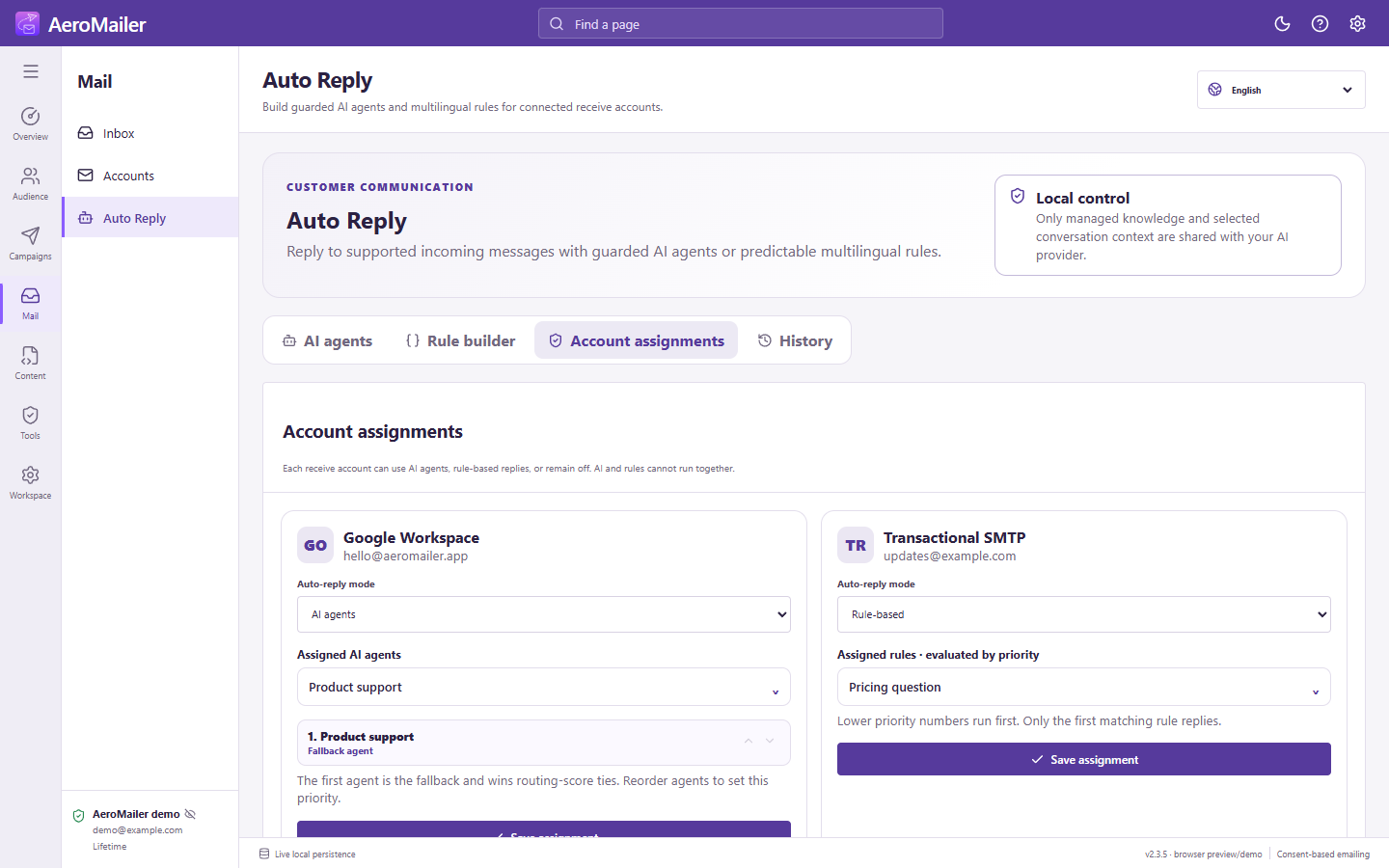
Assign a mode
- Connect the IMAP account and save enabled agents or rules.
- Open Auto Reply → Account assignments.
- For the intended receive account, choose Off, AI agents, or Rule-based.
- Open the compact selection dropdown and check one or more enabled agents/rules.
- Select Save assignment and confirm success.
Multiple agents
Assign Customer service and Product query to one account if both are needed. Routing selects a suitable agent rather than sending every agent's reply. Use up/down arrows to set order: the first agent is the fallback and wins routing-score ties. Write clear routing keywords and allowed topics.
Multiple rules
Rules are evaluated by Priority, lowest number first; only the first matching rule replies. One account cannot run AI and rule-based modes together. Switching modes clears the other selection.
Prevent backlog surprises
Settings → Desktop behavior → Process existing messages after startup is off by default. Turn it on only if replying to old messages is intentional. Keep the app running and check History.