
Inbox
Read and organize multiple inboxes
Switch accounts, use folder views, pin messages, and manage senders.
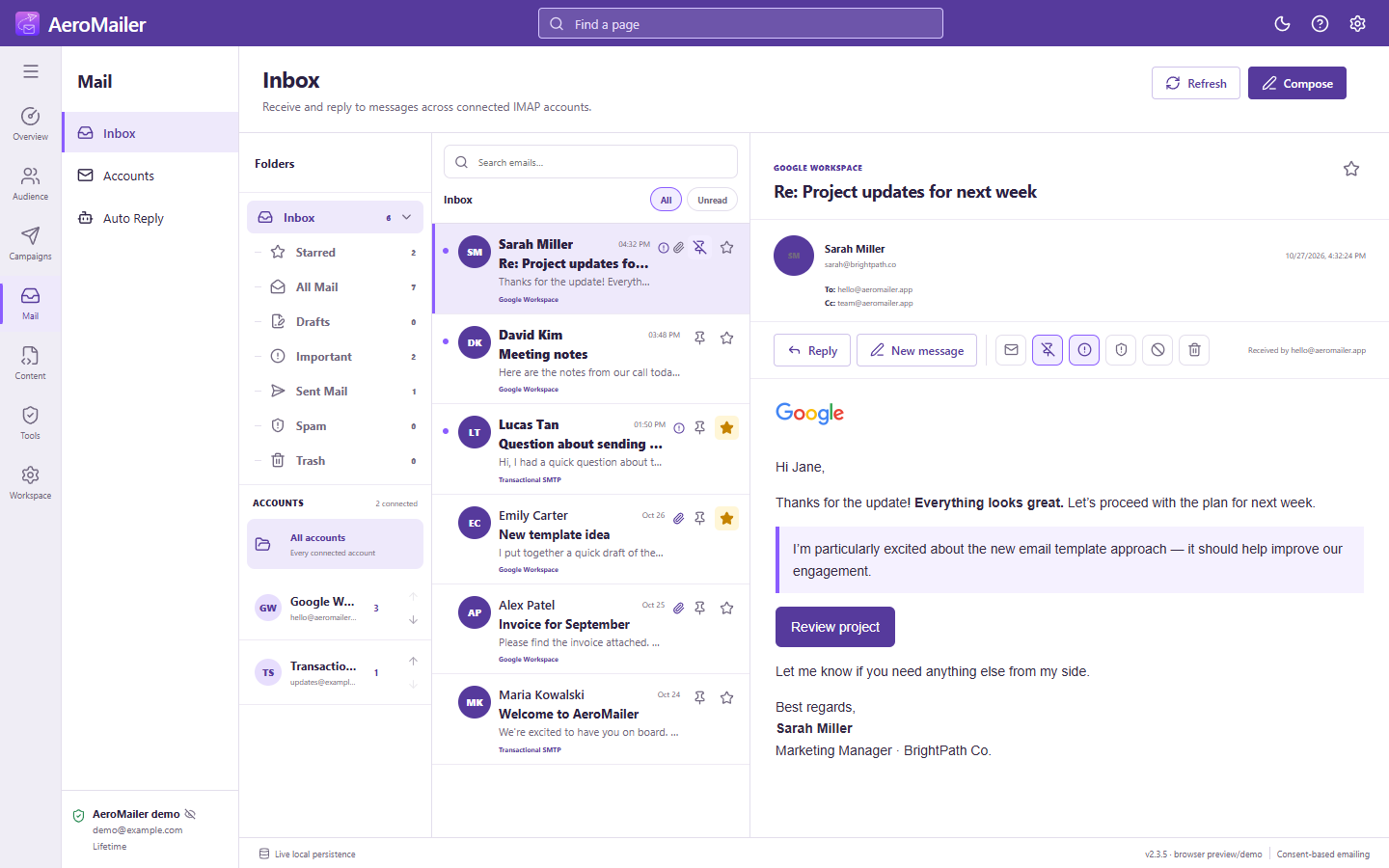
Choose an account and view
- Open Inbox and select one account or All accounts.
- Expand the arrow beside Inbox to show Starred, All Mail, Drafts, Important, Sent Mail, Spam, and Trash.
- Search messages or switch between All and Unread.
- Select a message to read its plain text or HTML content.
Organize messages
Use the star and pin beside a message; pinning keeps it near the top. Reader actions include mark unread, mark important, move to Spam, block sender, and Delete (move to Trash). Account up/down arrows change the sidebar order. Counts describe the messages cached in AeroMailer for the selected account/view.
These folders and message organization actions are local AeroMailer views, not a promise to move or delete messages in Gmail or another provider's webmail. A Drafts view is available, but do not assume closing a compose window saves an editable draft.
Refresh and replies
The inbox refreshes about every 10 seconds while the app runs. Use Refresh manually when needed. Choose Reply or Compose to send through a verified SMTP account.