
Reports and Analytics
Monitor live campaign reports and export results
Review delivery outcomes, attempts, and attributed unsubscribe replies.
Read progress and delivery details
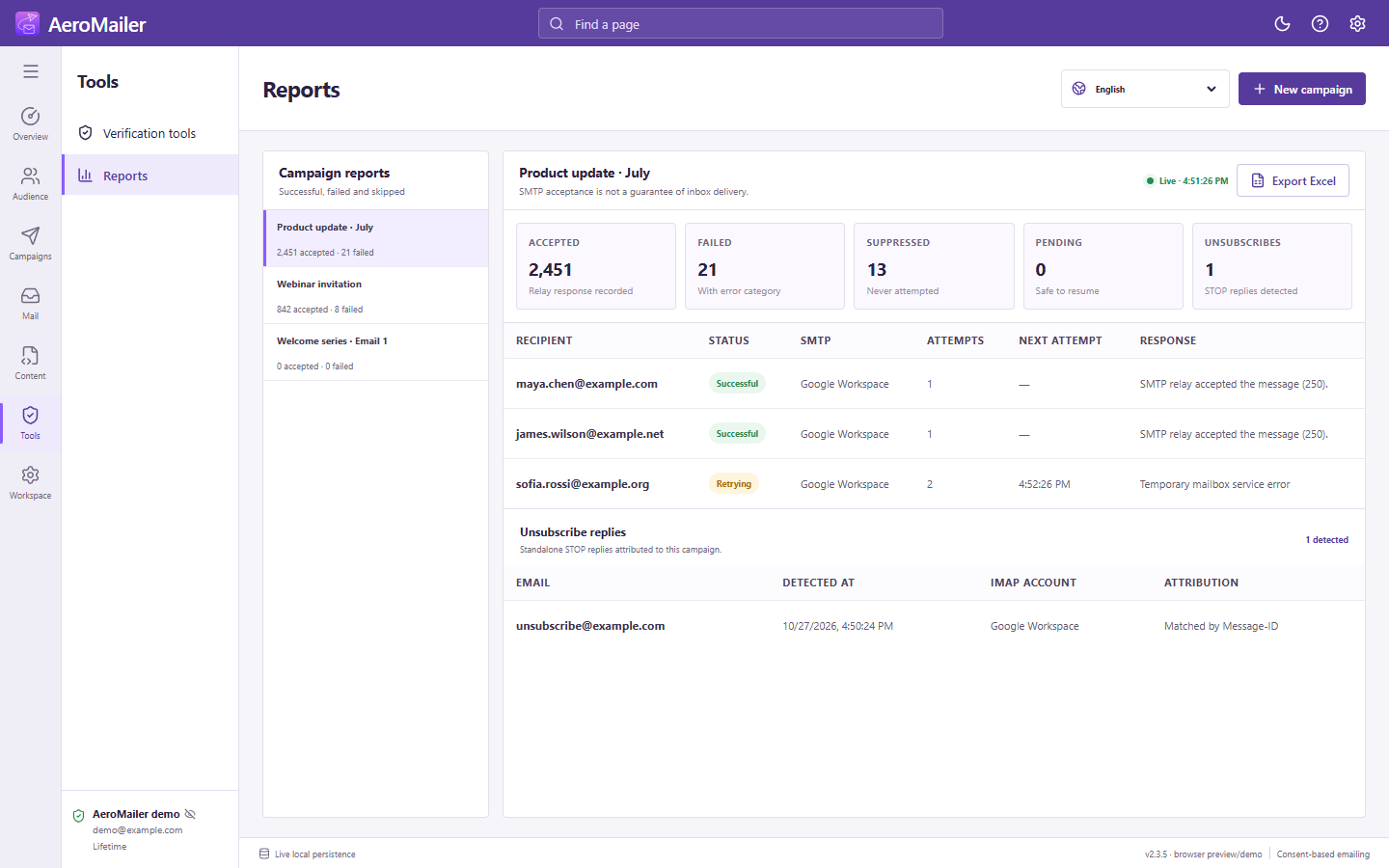
Campaigns updates running progress. In Reports, select a campaign to inspect successful, failed, skipped, pending, and retrying outcomes with recipient, SMTP account, attempts, response/error, and timestamps. Counts reflect app/server acceptance information, not guaranteed inbox placement or opens.
Unsubscribe results
The Unsubscribes metric and Unsubscribe replies section show STOP events attributed to that campaign. Confirm the contact is now Unsubscribe; it need not appear in suppression. If an event is missing, check the two switches and receiving account.
Export
Use the Excel export and choose a filename/destination. Store reports privately and export before deleting a campaign whose history you need. Settings and progress are local; computer backups remain important.